Most businesses don’t have a lead problem. They have a leak. Enquiries arrive from the website, social media, ads and phone calls. Some get answered quickly, some get answered late, and some get forgotten. Follow-ups depend on someone remembering, and booking a meeting takes a long chain of “Does Thursday work?” messages.
Automation fixes this. With the right setup, every lead is captured, scored, followed up and offered a booking link within minutes, without your team lifting a finger. This guide shows how to automate the whole journey, from first click to confirmed appointment, in a way that still feels personal.
Why Automate the Lead-to-Appointment Journey?
Speed wins deals. Studies of lead response times consistently show that the sooner you reply, the more likely you are to reach the lead and win the sale. Automation replies in seconds, at any hour.
Nothing gets forgotten. Software never has a busy week. Every lead enters the same process, and every follow-up goes out on schedule.
Your team sells instead of chasing. Salespeople spend their time on conversations with qualified, interested people rather than data entry and reminders.
It scales. Ten leads or ten thousand, the process stays the same, so growth doesn’t mean a mountain of admin.
You get clear data. Automated workflows show where leads come from, where they stall and what actually converts.
The Automated Pipeline at a Glance
Think of the journey as six connected steps:
- Capture: a lead arrives through a form, chat, call, ad or social message.
- Organize: the lead’s details flow into your CRM automatically.
- Qualify and score: the system rates how likely the lead is to buy.
- Follow up: personalized emails, texts or calls go out immediately and continue on a schedule.
- Book: the lead picks a time or the AI books it for them.
- Remind and nurture: confirmations, reminders and post-meeting follow-ups keep things moving.
Now let’s automate each part.
Part 1: Automate Lead Generation
Automation can’t make people want your product, but it can make sure you capture and organize every interested person who comes your way.
Capture leads in every channel
- Website forms and landing pages: keep forms short, ideally name, email and one qualifying question.
- AI chatbots: engage visitors the moment they arrive, answer questions and ask qualifying questions in a natural conversation.
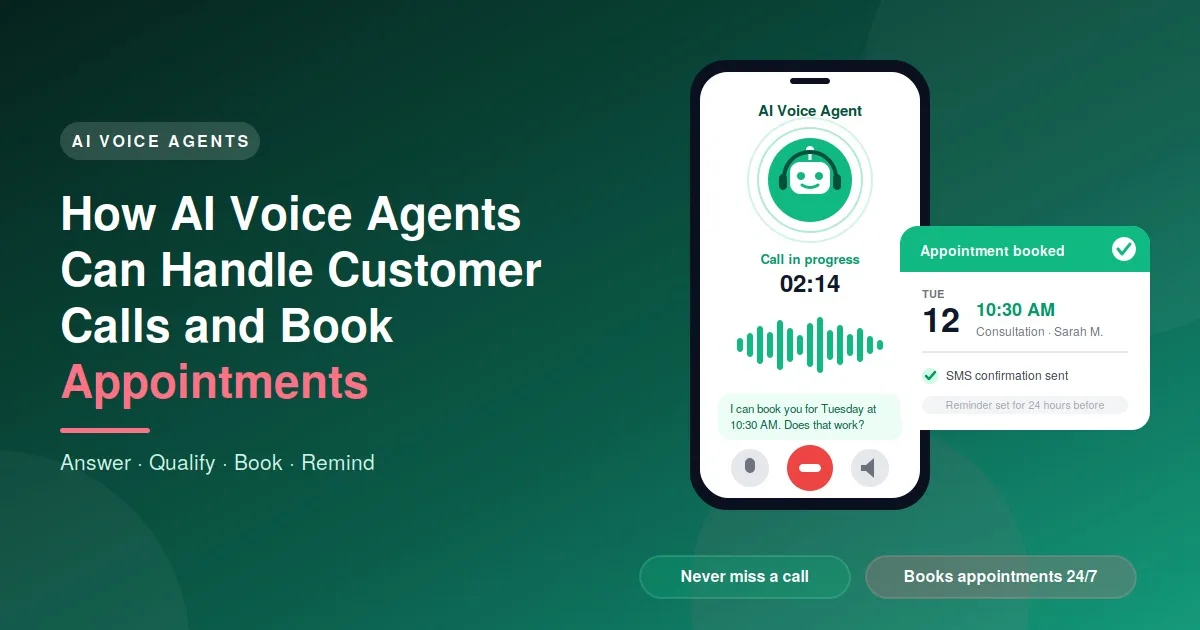
- AI voice agents: answer calls instantly and record the caller’s details and needs.
- Social and ad lead forms: sync leads from Facebook, Instagram and LinkedIn into your CRM automatically.
- Lead magnets: offer a useful guide, checklist or template in exchange for an email address, delivered automatically.
Send every lead to one place
Use an automation platform such as Zapier, Make or n8n, or your CRM’s built-in integrations, to push each new lead into a single system. Tag it with the source, so you can see which channels actually produce customers.
Qualify and score automatically
Not every lead deserves the same treatment. Score leads using rules or AI based on factors such as:
- Budget, company size or location
- The pages they visited and how often
- Whether they opened emails or downloaded content
- Answers to qualifying questions
High scorers get an immediate alert and a personal reach-out. Lower scorers enter a longer nurture sequence.
Route leads to the right person
Assign leads by territory, service type or workload, so the right salesperson gets each one and nobody is left waiting.
Enrich lead data
Tools can add missing details, such as company, role or website, so your team starts each conversation informed. Always use data sources that comply with privacy laws.
Part 2: Automate Follow-Ups
Many sales are lost not because the customer said no, but because nobody followed up. Automated follow-up makes persistence effortless.
Reply within minutes
The moment a form is submitted, send a confirmation email and text that thanks the lead, sets expectations and includes a link to book a time. This instant response makes you look professional and keeps interest high.
Build multi-step sequences
A simple, effective sequence might look like this:
- Minute 0: welcome message with a booking link
- Day 1: a helpful email answering common questions
- Day 3: a case study or testimonial
- Day 5: a short text message check-in
- Day 8: a final “still interested?” note with an easy next step
Mix email, SMS and WhatsApp where customers are comfortable receiving them.
Trigger follow-ups by behavior
Instead of sending everything on a fixed timer, react to what people do:
- Viewed the pricing page → send a pricing guide or offer a call
- Opened a proposal but didn’t reply → send a gentle reminder
- Abandoned a booking form → send a nudge with the link
- Attended a demo → send a recap and next steps
Personalize with AI
AI can draft messages that use the lead’s name, interest and previous interactions, in your brand voice. Review the templates before launch and keep the tone human.
Stop automatically when they respond
Nothing damages trust like a “just checking in” email arriving after the lead has already replied. Set sequences to pause the moment a lead replies, books or unsubscribes.
Revive cold leads
Automation can quietly re-engage old leads with a new offer, update or useful resource, often producing sales from enquiries you’d written off.
Part 3: Automate Appointment Booking
The back-and-forth of finding a time is one of the biggest friction points between interest and a sale.
Use self-scheduling links
Tools such as Calendly or Cal.com, or the scheduler in your CRM, let leads pick a slot that matches your live calendar. Put the link in emails, texts, chatbots, your website and your email signature.
Let AI book for you
Chatbots and AI voice agents can offer available times, take the booking and update your calendar during the conversation, whether the lead arrives by chat or phone, day or night.
Set smart booking rules
- Buffer time between meetings
- Minimum notice, so no one books a call in 10 minutes
- Different meeting types and durations
- Round-robin assignment across your team
- Intake questions that help your team prepare
Confirm and remind
Send an instant confirmation with a calendar invite, then reminders by email and text, for example 24 hours and one hour beforehand. This simple step reduces no-shows significantly.
Make rescheduling easy
Include a reschedule link in every message. A lead who can easily move an appointment is far more likely to stay in your pipeline than one who silently skips it.
Follow up after the meeting
Automatically send a thank-you message, a summary or proposal, and the next step. For no-shows, trigger a friendly “sorry we missed you” message with a new booking link.
What an Automated Journey Looks Like
Here’s a real-world example of the whole system working together:
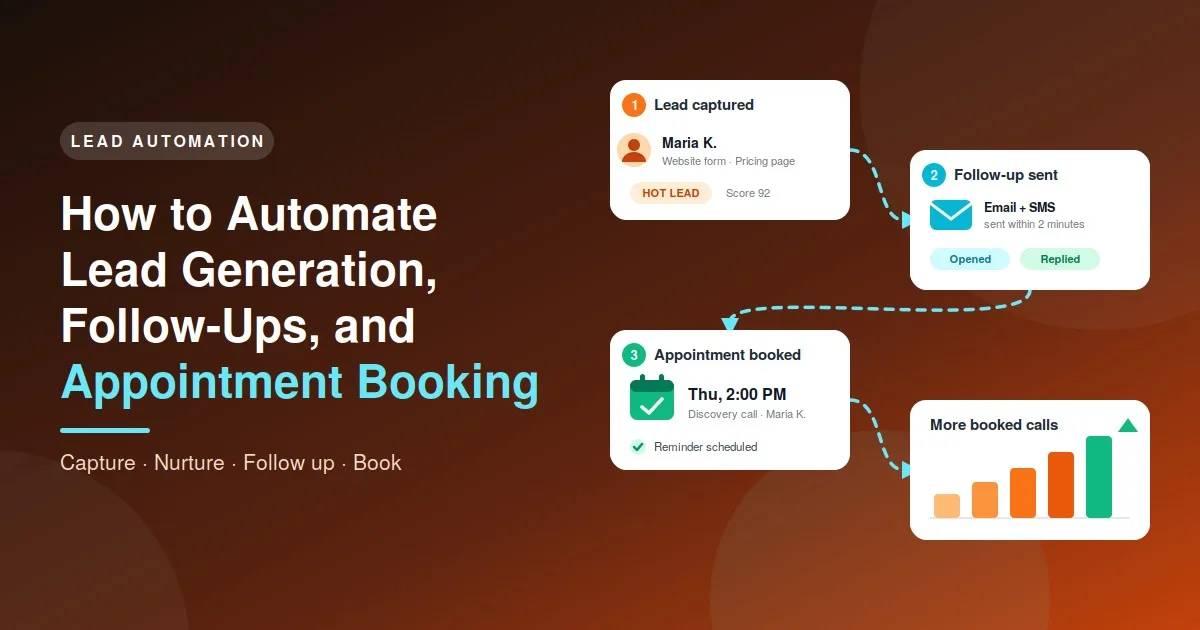
- 9:02 p.m.: Maria fills in your website form after reading your pricing page.
- 9:02 p.m.: She instantly receives a confirmation email and text with a booking link. Her details are saved in your CRM, tagged “Website, Pricing page, Hot.”
- 9:03 p.m.: Your sales manager gets a notification, and the lead is assigned.
- 9:10 p.m.: Maria books a call for Thursday at 2:00 p.m. The sequence stops and the meeting reminders begin.
- Wednesday: She gets a reminder with a short prep note.
- Thursday: She attends the call. A recap email goes out with the proposal and next steps.
The whole thing took the team zero manual effort until the actual conversation.
The Tools You’ll Need
You don’t need an enormous tech stack. Most businesses need these building blocks:
- CRM: to store leads and track the pipeline (HubSpot, Zoho, Pipedrive or similar)
- Forms, chatbot and voice agent: to capture leads on every channel
- Email and SMS platform: to send sequences and reminders
- Scheduling tool: to book and manage appointments
- Automation platform: to connect everything and trigger workflows
- AI layer: to qualify leads, write messages and handle conversations
- Analytics: to measure what’s working
Custom software can link all of these into one workflow that fits how your business actually operates.
How to Get Started: A Step-by-Step Plan
- Map your current process. Write down what happens from the moment a lead arrives until a customer is won. Highlight delays and manual steps.
- Fix the basics first. Define what a good lead looks like and who owns each stage.
- Centralize your leads. Get every source flowing into one CRM.
- Automate the first response. Instant confirmation plus a booking link is the highest-impact quick win.
- Add a follow-up sequence. Start with 4 to 6 messages and refine over time.
- Connect booking. Link your calendar and set your meeting rules.
- Add reminders and no-show recovery.
- Test every path. Submit forms, book meetings and check each message before going live.
- Measure and improve. Review results monthly and adjust.
Metrics to Track
- Speed to lead: time from enquiry to first response
- Lead-to-appointment rate: the percentage of leads who book
- Show-up rate: the percentage of booked appointments attended
- Appointment-to-sale rate: how many meetings become customers
- Response and reply rates for each message in your sequences
- Cost per lead and cost per booked call
- Pipeline value generated by each channel
Common Mistakes to Avoid
- Automating a messy process. Fix confusion in your sales process first, then automate.
- Sounding robotic. Write like a person, personalize where possible, and don’t over-message.
- Over-following. Too many emails drive people away. Space messages sensibly and always offer an easy opt-out.
- Ignoring consent and privacy. Follow the anti-spam, data protection and messaging consent laws that apply where you operate, and only contact people who’ve agreed to hear from you.
- No human handover. Make it simple for a lead to speak to a real person, and alert your team to hot leads right away.
- Set and forget. Review sequences, booking rules and results regularly.
- Disconnected tools. If your forms, CRM, email and calendar don’t talk to each other, leads will still fall through the gaps.
Final Thoughts
Automating lead generation, follow-ups and appointment booking turns a leaky, manual process into a smooth system. Leads get a fast, helpful reply. Follow-ups happen on time, every time. Appointments appear in your calendar without the back-and-forth. Your team spends its energy on conversations that win customers.
Start small, with an instant response and a booking link, then build outward. Each automated step saves time, and together they can transform how your business grows.
Ready to Automate Your Sales Pipeline?
Our AI Automation service designs and builds complete lead-to-appointment workflows: chatbots, voice agents, CRM integrations, follow-up sequences and automatic booking, all tailored to your business. Contact us today for a free consultation and discover how many more leads you could be turning into booked appointments.
FAQs
What is lead generation automation?
It’s the use of software and AI to capture, organize, score and route leads automatically, so every enquiry reaches your sales team quickly and nothing is lost.
How soon should I follow up with a new lead?
As soon as possible, ideally within minutes. An automated instant reply keeps the lead engaged even if your team can’t respond straight away.
Will automated follow-ups feel impersonal?
Not if they’re done well. Use the lead’s name and context, write in a natural tone, and stop sequences when the lead replies. Always give people a way to reach a real person.
How many follow-up messages should I send?
Most sequences work well with four to eight messages over one to two weeks, spread across email and text. Test and adjust for your audience.
Can AI book appointments for me?
Yes. Chatbots and voice agents connected to your calendar can offer open slots, confirm a booking and send reminders at any hour.
Is automated outreach legal?
It can be, as long as you follow the laws on consent, anti-spam and data protection in your region, and give recipients a clear way to opt out.
Do I need a CRM to automate this?
It’s strongly recommended. A CRM gives you one place to store leads, trigger follow-ups and track results. Many affordable options exist for small businesses.
How long does it take to set up?
A basic version, with instant replies and a booking link, can be live in a few days. A full pipeline with scoring, sequences and integrations usually takes a few weeks.